Game room wall art is one of those things people either overthink or completely ignore - and both extremes show. The wrong print in a retro arcade corner looks like someone decorated with a gift card. The right one makes the whole room feel intentional. This isn't complicated, but it does require knowing what kind of room you actually have before you start buying.
Retro cabinets deserve art that matches the era
If you've got actual arcade cabinets - a Pac-Man cocktail table, a Street Fighter II upright, anything from that era - pixel art prints are the obvious move, and they're obvious for a reason. They work. A high-contrast pixel grid print or a poster built around that classic 8-bit color palette (heavy blacks, punchy reds and yellows) looks like it belongs there instead of like an afterthought.
What doesn't work: anything photorealistic, anything with a glossy futuristic finish, anything that belongs in a cyberpunk setup. That contrast isn't edgy, it just looks like two different rooms got merged. Pick a lane.
Canvas prints hold up better than paper posters in a room that gets regular use. The texture also reads as slightly warmer, which suits the older hardware aesthetic more than a flat matte sheet.
Modern console setups and the RGB problem
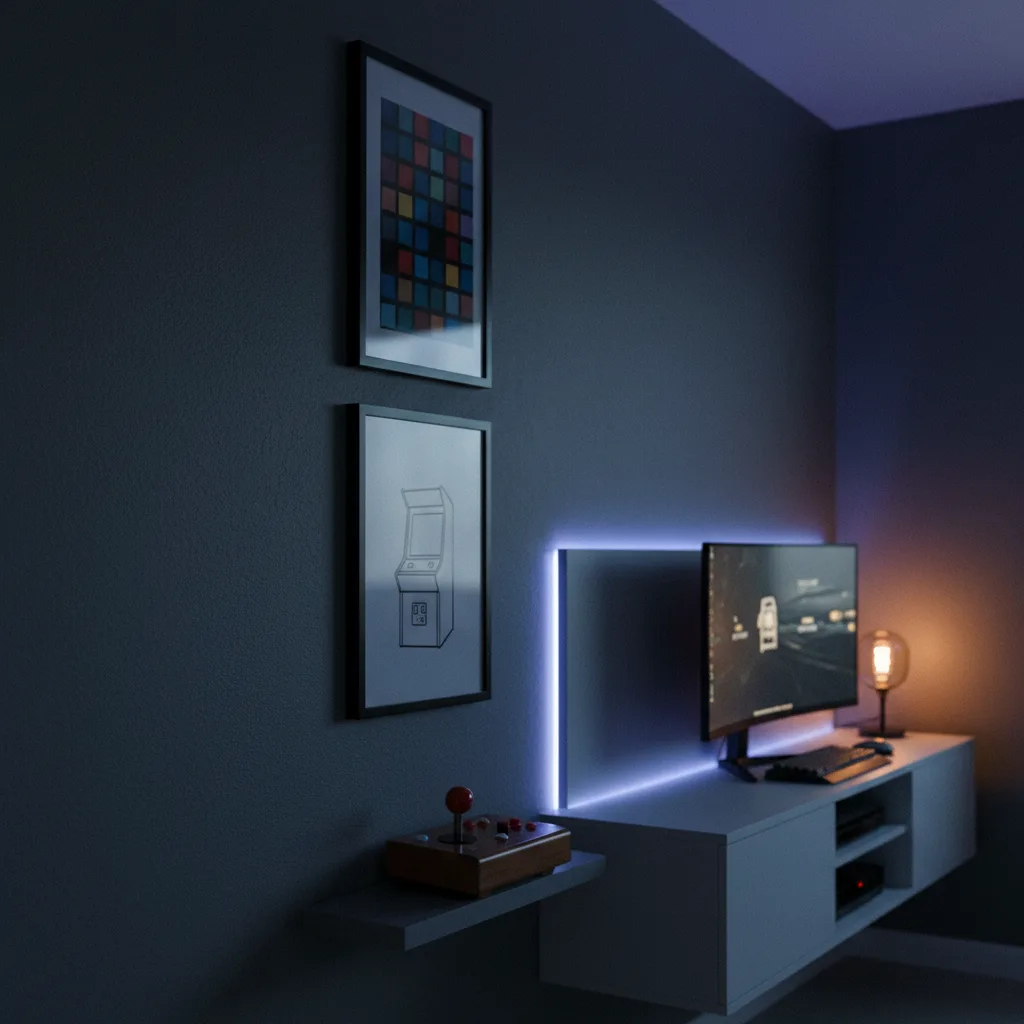
A lot of current setups have RGB lighting somewhere - under the desk, behind the TV, in the keyboard. That changes what art can actually do in the space. Lighter prints with pale backgrounds get washed out. Dark prints with high contrast hold up much better when the lights go low and the LEDs cycle through colors.
Abstract art with strong geometric shapes or dark cyberpunk prints are genuinely good here - not because they're trendy but because the visual weight competes correctly with the rest of the light in the room. A pale watercolor print next to an RGB setup just disappears.
Check out the wall art collection - the abstract and cyberpunk categories are both worth filtering through if this describes your setup.
Mixed setups - the hardest room to get right
A retro cartridge collection next to a modern gaming PC. A CRT in the corner alongside a 4K monitor. This is actually most people's rooms, and it's the hardest to decorate because there's no single era to anchor to.
The answer is usually to go more neutral on the art - not boring, but less era-specific. Car prints, nature photography, or abstract black-and-white work here because they're not competing with any particular hardware aesthetic. They just exist in the room as art. That's fine. Your hardware is already doing the talking; the walls don't need to narrate it.
Alternatively, pick one era and lean hard into it as a theme even if not all your hardware matches. Commit to the retro corner, put the modern stuff out of frame from the main wall. Works better than trying to split the difference in every print you buy.
Size and placement - people consistently get this wrong
One small poster above a large desk setup looks abandoned. The art needs to roughly match the visual scale of what's around it. For a typical gaming desk setup - monitor, peripherals, shelving - you want something that's at least 24x36 inches, or a cluster of smaller prints grouped close together so they read as one unit.
Height matters too. Art hung at eye level when sitting is different from eye level when standing. In a gaming room you're usually seated. Drop it a few inches lower than you would in a regular living room.
Beyond the walls - mugs, phone cases, and smaller pieces
If the budget doesn't stretch to large canvas prints right now, or you want gaming art in a less permanent form, gaming mugs and phone cases fill the gap. Not a replacement for wall art, but they add to a room's overall feel without requiring a drill. Same applies to a notebook on the desk - small details stack up.
The actual rule for game room wall art
Don't buy art that describes your hobby back at you. You know you're a gamer - the room is full of evidence. Buy art that looks good in the specific room you have, with the specific lighting, specific hardware, and specific size wall you're working with. That's it. The gaming connection is secondary to whether it actually looks right.